The Internet Monitoring feature surfaces real-time and historical uptime data for each monitored internet circuit (primary and backup) within the isofy platform. This allows workspace operators and their technical staff to proactively respond to ISP outages, confirm service stability, and improves transparency in root cause analysis.
- View real-time circuit status
- Track historical uptime and incidents
- Note: our team continues to proactively monitor and manage - we’re just providing enhanced visibility
Availability
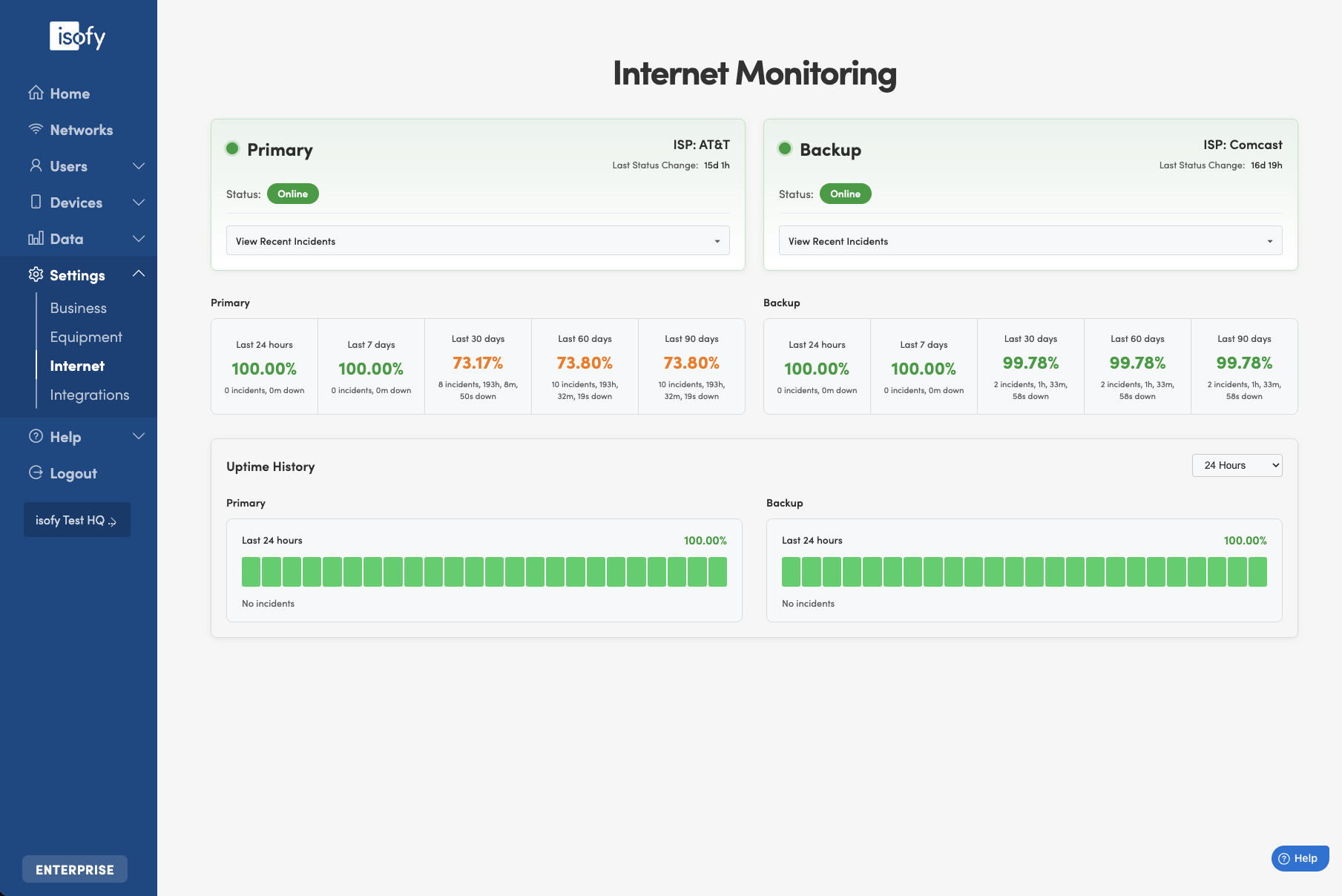
Internet Monitoring is available to clients on the isofy GROWTH or ENTERPRISE tiers. It is accessible on the blue left navigation menu as Settings -> Internet.
Primary and Backup
Here we display the Internet Service Provider (ISP) name and current status of your Primary and Backup (if provisioned) internet circuits.
- If either circuit is down, it will also be indicated by a red pulsing dot next to Settings -> Internet on the left navigation menu.
- If there were recent incidents for the circuit, the details are available by clicking the drop down selector "View Recent Incidents" on each circuit tile.
Uptime Metrics
Here we display the percent uptime metrics for both circuits over the last 24 hours and 7, 30, 60, and 90 days. This included the total number of incidents and total downtime for those periods.
Uptime History
Here we display a graphical representation of uptime for the select period - the last 24 hours (default) and 7, 30, 60, and 90 days.
Was this article helpful?
That’s Great!
Thank you for your feedback
Sorry! We couldn't be helpful
Thank you for your feedback
Feedback sent
We appreciate your effort and will try to fix the article